

The four actions that stop wedding-party confusion right now: pick one primary channel, create a shared doc, assign a point person, and send a single clear opening message. Do those four things this week and you'll cut day-of phone calls, missed deadlines, and hurt feelings before they start.
Your quick-start checklist:
- Choose one primary channel (iMessage, WhatsApp, or email) and tell everyone to use it
- Create a shared Google Doc or Google Sheet with all key details
- Assign one point person who fields questions so you stay present on your wedding day
- Send one opening message that states the channel, the doc link, and the point person's name
Copy this opening message and send it today:
That's your foundation. Everything below builds on it.
Key Takeaways
Communicating clearly with your wedding party comes down to one primary channel, one shared doc, one point person, and one final confirmation message sent 48 hours before the wedding.
| Point | Details |
|---|---|
| Choose one primary channel | Pick WhatsApp for mixed-device groups or iMessage for all-iPhone parties and stick to it. |
| Centralize everything in one doc | Use Google Docs or Sheets to store the timeline, contacts, attire details, and payment deadlines. |
| Assign a point person early | One designated contact fields day-of questions so the couple stays present and undistracted. |
| Address costs privately and early | Share attire and travel costs upfront in a shared doc to prevent surprises and late cancellations. |
| Send a final confirmation 48 hours out | Restate arrival times, parking, and the point person's number in one group message before the wedding. |
Helpful resources and quick-reference tools
| Resource | What it is | When to use it |
|---|---|---|
| Sortra: Communicate with Wedding Party | Practical guide to organizing wedding-party communication | Setting up your system from scratch |
| Manjasheets: Wedding Party Guide | Bridesmaid and groomsmen communication checklist | Building your shared doc template |
| Wedistry: Communication Tips | Timeline and early-communication strategies | Planning your communication calendar |
| Doodle | Free scheduling poll tool | Coordinating fitting dates and group events |
| Originsranch: Venue Coordinator Role | How a venue coordinator supports day-of logistics | Understanding point-person and vendor roles |
| Originsranch: Wedding Roles Guide | Breakdown of wedding party responsibilities | Assigning roles and responsibilities clearly |
Table of Contents
- Why communicating with your wedding party prevents costly surprises
- What to agree on before the planning gets busy
- How to pick the right channel for your wedding party
- What goes in your shared wedding-party doc
- How to set up a wedding-party group chat that actually works
- How to talk about money and what to do when someone goes quiet
- Day-of communication: who does what and who carries the phone
- Which tools help you coordinate your wedding party?
- Venue tips from Originsranch to keep your party coordinated
- Sources
- FAQ
Why communicating with your wedding party prevents costly surprises
Poor communication doesn't just cause awkward moments. It causes the photographer to wait because some bridesmaids didn't know where hair and makeup was happening. It causes the florist to call the bride directly on her wedding morning because no one confirmed the delivery window. Centralizing schedules, vendor contacts, and transportation details reduces missed deadlines, misunderstandings, and last-minute stress for everyone involved.
Good communication produces concrete wins: photos start on time, attire surprises disappear weeks before the wedding, and the couple actually gets to enjoy their morning. It also protects friendships. When people feel informed, they feel respected. When they feel left out or blindsided by costs, resentment builds quietly until it surfaces at the worst possible moment.
Think of it this way: a 10-minute group message sent three months out can prevent a 45-minute scramble the morning of your ceremony.
What to agree on before the planning gets busy
Starting communication early, centralizing information, and sharing a detailed wedding timeline prevents confusion and day-of problems. The earlier you set expectations, the less you'll need to manage later.
Items to lock in at the very first conversation:
- Primary communication channel and who monitors it
- Each person's role and specific responsibilities
- Required attendance: rehearsal dinner, bridal shower, bachelorette/bachelor events
- Attire details: who pays for what, where to purchase, and the deadline to order
- Travel expectations: whether the couple is covering hotel blocks or transportation
- RSVP and deadline format (text confirmation, email, or a shared form)
Template clauses to drop into your shared doc:
- "Bridesmaid dresses are [color/style]. Each bridesmaid covers her own dress cost, estimated at $[X]. The deadline to order is [date]."
- "Groomsmen are responsible for renting their suits through [vendor] by [date]. The couple will cover [X]; groomsmen cover the remainder."
- "Attendance at the rehearsal dinner on [date] is required. The bachelorette event on [date] is optional but encouraged."
- "All major updates come through [channel]. Please respond to any message requesting confirmation within 48 hours."
Short sample message for announcing expectations:
Setting these ground rules early is the single biggest thing you can do to manage wedding party expectations before they become problems.
How to pick the right channel for your wedding party
Setting clear expectations, choosing tools by purpose, and coordinating the bridal party with the wedding planner keeps communication efficient. The channel you pick should match your group, not just your preference.
Channel options and when each one fits:
- iMessage/SMS group text: Best for small, iPhone-heavy parties in the same city. Fast, no app download required, but Android users get left out of iMessage threads and group texts can get noisy fast.
- WhatsApp: Best for mixed-device groups or anyone with international guests. Works on both iPhone and Android, supports photos and documents, and is free. Pick the app with the lowest friction for the group, and WhatsApp wins for most mixed groups.
- Email: Best for formal announcements, long documents, and anyone who doesn't use messaging apps regularly. Slow for back-and-forth but creates a clear paper trail.
- Google Docs/Sheets: Not a messaging tool, but the best place to store permanent details. Link it in every channel message so people always know where to find the source of truth.
- Dedicated wedding apps (WeddingWire, BridalGuide): Useful for couples who want an all-in-one planning hub. WeddingWire and BridalGuide both offer vendor management and checklist features, though they require everyone to download and log in.
- Pinterest: Useful for sharing visual inspiration (attire mood boards, decor ideas) but not a communication tool for logistics.
- Notion: Works well for tech-savvy parties who want a shared workspace with checklists, timelines, and embedded links all in one place.
Backup rule: Never assume one platform reaches everyone. Experts advise picking one primary tool and planning a backup approach, such as a direct text or email, for critical updates. For a small local party, iMessage works fine with email as backup. For a group spread across multiple states or countries, WhatsApp as primary and email for official documents is a reliable combination.
Pro Tip: Use the master doc for permanent details and the group chat only for short alerts and reminders. Important decisions buried in a chat thread get lost. Keep the doc as the official record.
What goes in your shared wedding-party doc
A shared Google Doc or spreadsheet with arrival times, getting-ready plans, attire details, and travel information ensures everyone has the same information. Here are the fields to include:
| Section | What to include |
|---|---|
| Contact list | Full name, phone, email, and role for each party member |
| Arrival times | Who arrives where and when, with buffer time built in |
| Vendor contacts | Photographer, florist, caterer, DJ, officiant names and phones |
| Hair and makeup schedule | Each person's appointment time and location |
| Fitting and attire deadlines | Dress/suit vendor, order deadline, pickup date |
| Travel and hotel block | Hotel name, block code, booking deadline, transportation details |
| Payment deadlines | What is owed, to whom, and by when |
| Day-of assignments | Who handles what (vendor liaison, transportation, couple's phone) |
| Emergency contacts | Venue coordinator, backup transportation, nearest urgent care |
Sample timeline snippet (copy and adjust):
- 9:00 AM Bridesmaids arrive at [location] for hair and makeup
- 9:15 AM Hair begins for [Name 1]; makeup begins for [Name 2]
- 11:30 AM All bridesmaids dressed and ready for photos
- 12:00 PM First look and wedding party portraits at [location]
- 12:45 PM Buffer / touch-ups before ceremony
- 1:30 PM Ceremony begins
Sharing permissions: Make the planner or coordinator an editor so the timeline can be updated in real time without re-sharing the document. Give the point person edit rights as well. Set everyone else to view-only to prevent accidental changes. When you update the doc, send a short group chat alert so people know to re-check it.
How to set up a wedding-party group chat that actually works
A group chat that works has a clear purpose, a short set of rules, and a message format everyone follows. Here's how to build one.
Step-by-step setup:
- Choose your platform (WhatsApp for mixed devices, iMessage for all-iPhone groups).
- Name the chat something specific: "Smith-Jones Wedding Party" beats "The Squad."
- Add only wedding party members to the main chat. Create separate threads for family logistics, vendor coordination, and bachelor/bachelorette planning.
- Send the opening message (see the template at the top of this article) within 24 hours of creating the chat.
- Pin the shared doc link at the top of the chat so it's always one tap away.
Chat rules to share in the opening message:
- Keep messages to logistics only; personal conversations go elsewhere
- Label your message type: "UPDATE," "QUESTION," or "ACTION NEEDED"
- Reply directly to a specific message rather than sending a standalone response
- One official poster (you or the point person) sends all major updates
- Confirm receipt of action items with a simple thumbs-up or "confirmed"
Recommended message format:
Every logistics message should answer: What, Where, When, Action needed, Deadline.
This format takes 30 seconds to write and saves 10 minutes of follow-up questions.
How to talk about money and what to do when someone goes quiet
Financial conversations are the most common source of tension in wedding parties. The fix is transparency early, not later. When people know costs upfront, they can plan or bow out gracefully before commitments deepen. Surprising someone with a $300 dress cost three months before the wedding is how you lose a bridesmaid and a friendship.
For sensitive cost conversations, use a private message, not the group chat:
Step-by-step follow-up plan for non-responders:
- Group reminder: Send a gentle group message 48 hours before the deadline. "Just a reminder, please confirm [X] by [date]."
- Private message: If no response after the deadline, send a direct, warm private message. "Hey, just checking in! Did you see the note about [X]? Want to make sure you're all set."
- Point-person follow-up: Ask your assigned point person to reach out personally. Sometimes a peer-to-peer message lands better than one from the couple.
- Last-resort decision: If someone remains unreachable after two attempts over a week, make the decision without them and inform them of the outcome. Don't let one non-responder hold up the whole group.
Etiquette notes: Always address sensitive topics privately. Keep the group chat positive and logistical. If a role needs to change due to a conflict or hardship, have that conversation one-on-one before announcing anything to the group.
Day-of communication: who does what and who carries the phone
The wedding day is not the time to figure out who's in charge. Assign every role in writing at least two weeks before the date. A single point person reduces day-of questions to a funnel and protects the couple from constant interruptions; venues recommend assigning a vendor liaison and one party member to carry the couple's phone.
Recommended day-of roles:
- Maid of honor / best man: Primary point person for the wedding party. Fields questions, keeps the timeline moving, and manages any last-minute nerves.
- Vendor liaison: One trusted person (often the maid of honor or a planner) who communicates with the photographer, florist, and caterer so the couple doesn't have to.
- Transportation lead: Confirms shuttle or car arrival times and makes sure everyone gets where they need to go on schedule.
- Parent contact: One person designated to relay information to both sets of parents so the couple isn't fielding calls from four directions.
- Phone holder: A trusted party member holds the couple's phone so they stay present while remaining reachable for urgent venue or vendor questions.
Day-of checklist for the wedding party:
- Arrive at the time listed in the shared doc, not "around" that time
- Bring a printed copy of the timeline as backup
- Know the vendor liaison's name and number
- Keep the group chat clear of non-urgent messages until after the reception
- Confirm your transportation plan the night before
Pro Tip: Print 5–6 copies of the day-of timeline and give one to each key role holder. Phones die, apps crash, and Wi-Fi disappears. A printed sheet never needs a signal.
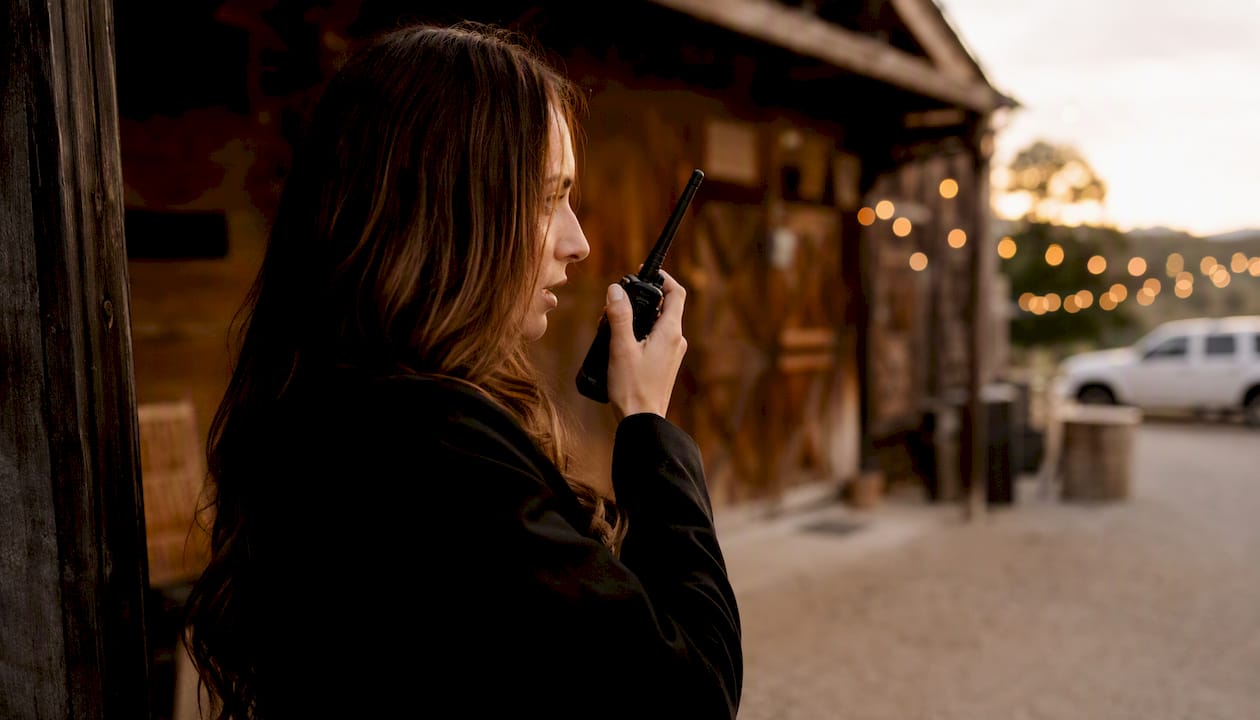
For barn and outdoor venues, walkie-talkies or headsets are worth considering for the venue coordinator and transportation lead, especially when the ceremony and reception spaces are spread across a property. Learn more about how venue staff coordinate arrivals and vendor timing to keep the day on track.
Which tools help you coordinate your wedding party?
Tools like Google Drive, Doodle, group chats, and similar apps are commonly recommended to organize wedding-party tasks. Here's a practical breakdown of each one and when to reach for it.
| Tool | Best for | Pros | Cons / friction | When to use |
|---|---|---|---|---|
| Google Docs | Master planning doc | Free, shareable, real-time editing | Requires a Google account | Store timeline, contacts, attire details |
| Google Sheets | Budgets and schedules | Easy to sort and filter | Can feel complex for non-spreadsheet users | Track payments, RSVP lists, fitting dates |
| Group messaging | Works on all devices, free, supports media | Requires app download | Primary chat for mixed-device groups | |
| iMessage/SMS | Quick alerts | No app needed, instant | Excludes Android users from iMessage threads | Small, all-iPhone local parties |
| Doodle | Scheduling polls | Simple, no account needed for respondents | Limited to date/time polling | Find a date that works for the whole group for fittings or events |
| Notion | All-in-one workspace | Highly customizable, links and embeds | Learning curve for new users | Tech-savvy parties who want one hub |
| Splitwise | Shared cost tracking | Tracks who owes what, sends reminders | Requires app download | Split hotel blocks, shared transportation, decor costs |
| WeddingWire | Wedding planning hub | Vendor management, checklists, reviews | Requires account; party members may not engage | Couples who want a dedicated planning platform |
| BridalGuide | Planning inspiration and checklists | Helpful editorial content and templates | Less interactive than app-based tools | Research and checklist building |
| Visual inspiration | Great for mood boards and attire ideas | Not a logistics tool | Share attire inspiration, decor direction |
Recommended combined workflow: Use WhatsApp or iMessage for quick alerts, Google Sheets as your master information hub, and Splitwise for any shared costs. For couples who want deeper planning support, the wedding planning tools guide for busy couples offers a helpful overview of additional options.
A free wedding budget tracker can also help couples and party members stay aligned on shared expenses without awkward back-and-forth.
Venue tips from Originsranch to keep your party coordinated
At Originsranch in Plant City, FL, we've seen what separates a smooth wedding morning from a chaotic one. It almost always comes down to preparation and clear role assignments, not the size of the party or the complexity of the day.
Four venue-specific tips we share with every couple:
Pro Tip: Share your venue's layout and parking map with the wedding party at least two weeks before the wedding. At a property like Origins Ranch, where ceremony and reception spaces are spread across a beautiful ranch setting, knowing where to go before the day saves real time.
- Confirm arrival windows with your venue coordinator at least one week out and share those windows in your group chat the day before
- Give your vendor liaison the venue coordinator's direct contact so vendor questions never reach the couple
- Ask your venue what they need from the wedding party: typical items include confirmed headcounts, final timeline approval, and a point-of-contact name
- Build a 15-minute buffer into every transition on the timeline; outdoor and barn venues have natural variables (weather, lighting, travel between spaces) that indoor ballrooms don't
Venue checklist (what Origins Ranch needs from your wedding party):
- Confirmed arrival time for the wedding party at least one week before the event
- Final headcount for catering and seating by the deadline in your contract
- One designated point of contact (not the couple) for day-of venue questions
- Vendor delivery and setup windows confirmed with the venue coordinator
Our founder Barry brings over 20 years of event service experience to every wedding at Origins Ranch. Through the Weddings For Warriors program, we're especially proud to support veterans and active-duty service members in planning their dream day, and that means we understand the value of clear, respectful coordination at every level.
For couples who want to see how a venue coordinator supports day-of logistics, that role is one of the most underused resources in wedding planning.
Ready to experience the charm of Origins Ranch for your wedding? Whether you're planning a barn ceremony, a rehearsal dinner, or a full weekend celebration, we'd love to be part of your story. Explore our other event options and reach out to start planning.
What we've learned from years of wedding-day mornings
One of the most common things we see at Origins Ranch is a wedding party that communicated well for months and then went quiet in the final two weeks. Everyone assumed someone else had confirmed the timeline. The morning of the wedding, three people showed up 30 minutes late because the arrival time had been updated in the doc but never sent as a group chat alert.
The fix was simple: we now recommend couples send one final group message 48 hours before the wedding that restates arrival times, the point person's number, and the parking location. That single message, sent the Thursday before a Saturday wedding, has prevented more confusion than any planning tool we've seen.
Pro Tip: Set a calendar reminder to send your "final confirmation" message exactly 48 hours before your wedding. Include arrival time, parking instructions, point-person contact, and a link to the updated timeline doc.
Sources
- How to Communicate with Wedding Party: Clear, Calm, and Organized Planning Strategies
- The Ultimate Wedding Party Guide: What to Communicate to Bridesmaids & – Manjasheets
- Wedding Party Communication Tips for a Smooth Wedding Weekend - Wedistry
- How to improve wedding party communication: 5 simple tips! – SYNCO
- 6 Tools for Easier Wedding Party Communication
FAQ
What should you communicate to bridesmaids first?
Start with the three things that require the most lead time: attire details and costs, required attendance dates (rehearsal, fittings, events), and the primary communication channel. Send these in one message with a link to the shared doc so everyone has the same information from day one.
How do you handle a wedding party member who never responds?
Send a group reminder 48 hours before any deadline, then follow up privately if there's still no response. If two attempts over a week go unanswered, assign your point person to reach out directly and make the necessary decision without waiting further.
What is the best app for a wedding-party group chat?
WhatsApp works best for most groups because it runs on both iPhone and Android, supports photos and documents, and is free. For an all-iPhone party, iMessage is the lowest-friction option since no download is required.
What do bridesmaids most need to know before the wedding day?
Bridesmaids need their arrival time and location, hair and makeup appointment time, attire details (including what shoes and accessories to bring), the point person's contact information, and a printed or saved copy of the day-of timeline.